Drawing in Express
Express Drawing on the web was driven by a clear market gap: Adobe lacked a strong offering for EDU and students, and there was an opportunity to differentiate from Canva by leaning into drawing as a core creative capability, especially as a key tool for student expression and communication.
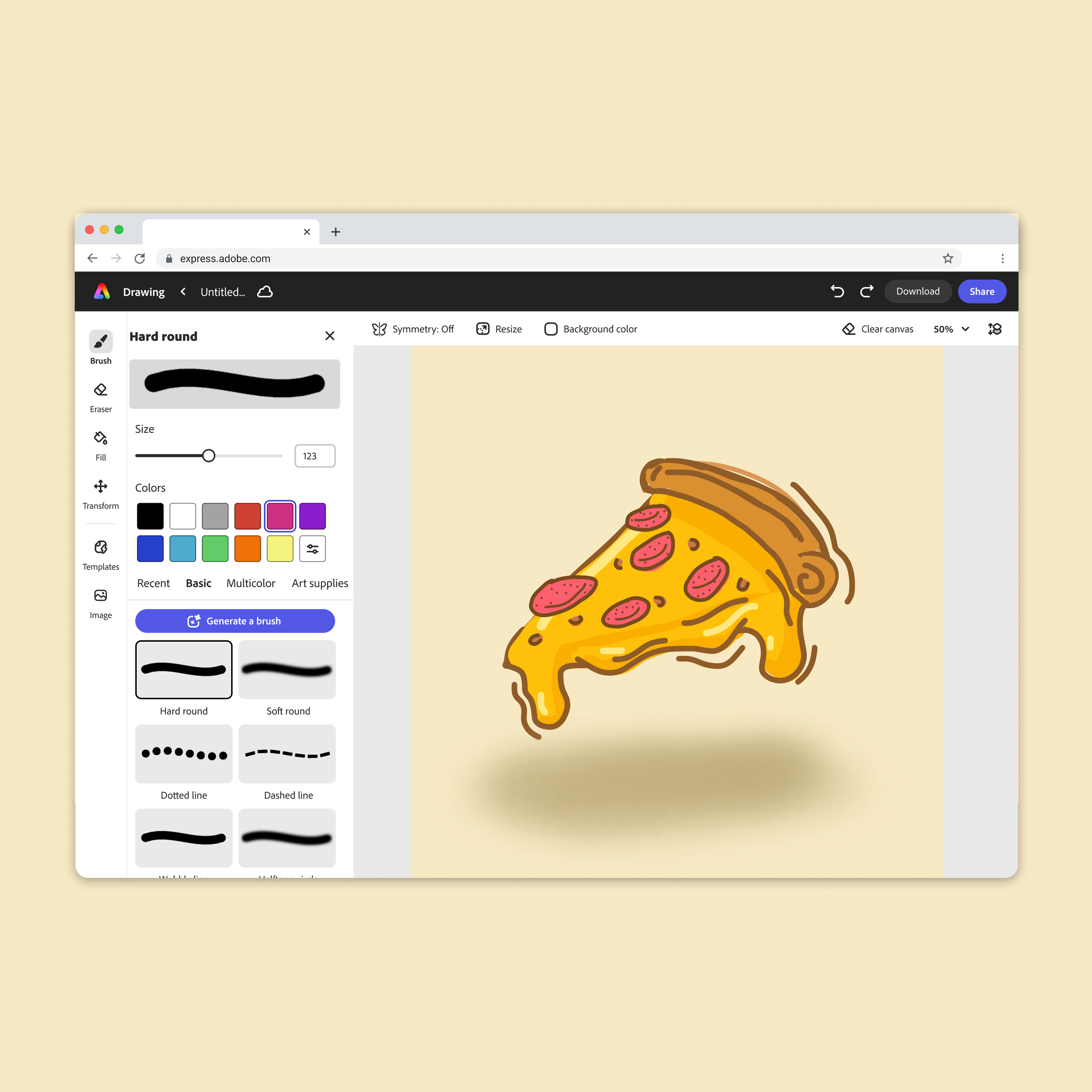
We designed a playful, simple, and open-ended drawing editor (powered by Adobe Fresco) that helps users quickly get ideas down and explore their creativity without friction.
I led the design from conception to implementation, partnering with Fresco lead designer Jinjin Sun to define strategy, shape the experience, and align with Express’s visual language. I also collaborated closely with researcher Quynh Nguyen, conducting classroom visits and interview studies to validate our approach with real students and educators.
Core experience
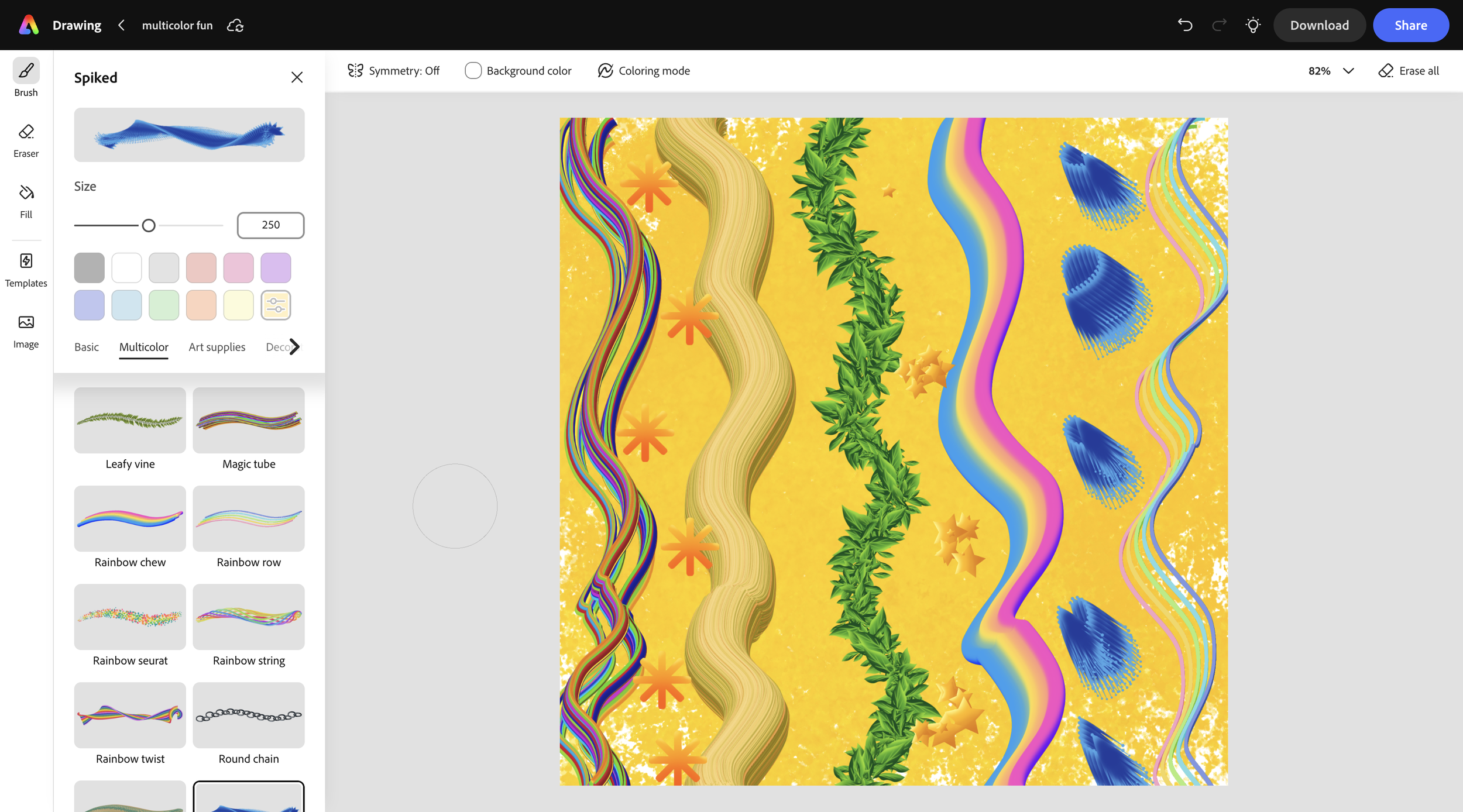
We designed a simple and intuitive brush browsing experience, partnering closely with Jinjin Sun and Dave Alonzo to make exploration feel approachable and frictionless.
We curated 80+ brushes from Kyle Webster’s library, selecting a range tailored for an EDU audience, from basic and analog-inspired art supply brushes to decorative and playful multicolor options, giving users expressive, delightful brushing, while keeping the experience easy to navigate.
Coloring mode
Coloring Mode is a toggle feature in the editor that introduces auto-masking, keeping brush strokes constrained within drawn shapes and outlines. It makes coloring more approachable and playful by removing precision barriers while preserving creative control, especially while drawing with a trackpad or mouse.
Symmetry
Symmetry is a drawing feature that enables simplified creative control and playful exploration through real-time mirrored brush strokes. By reflecting input across configurable axes, it makes it easy to create balanced, intricate compositions while keeping the experience intuitive, approachable, and fun.
EDU drawing templates
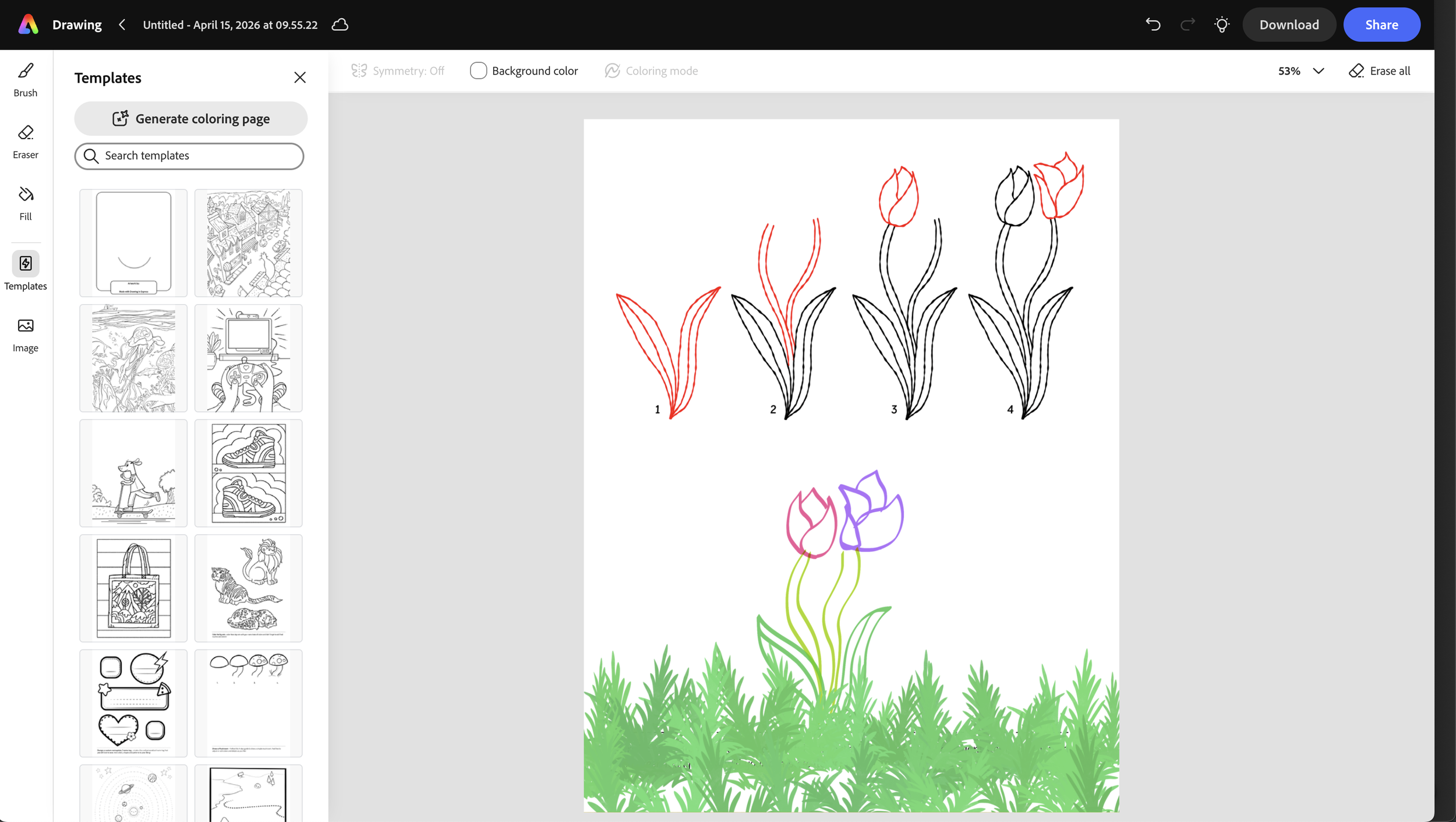
We offer 100+ EDU-focused drawing templates designed to support exploration and learning, and help users get over the age-old issue of the fear of the blank page.
I designed the end-to-end template experience, including browsing and usage flows for both coloring pages and draw-on-top templates, with Coloring Mode automatically applied where appropriate.
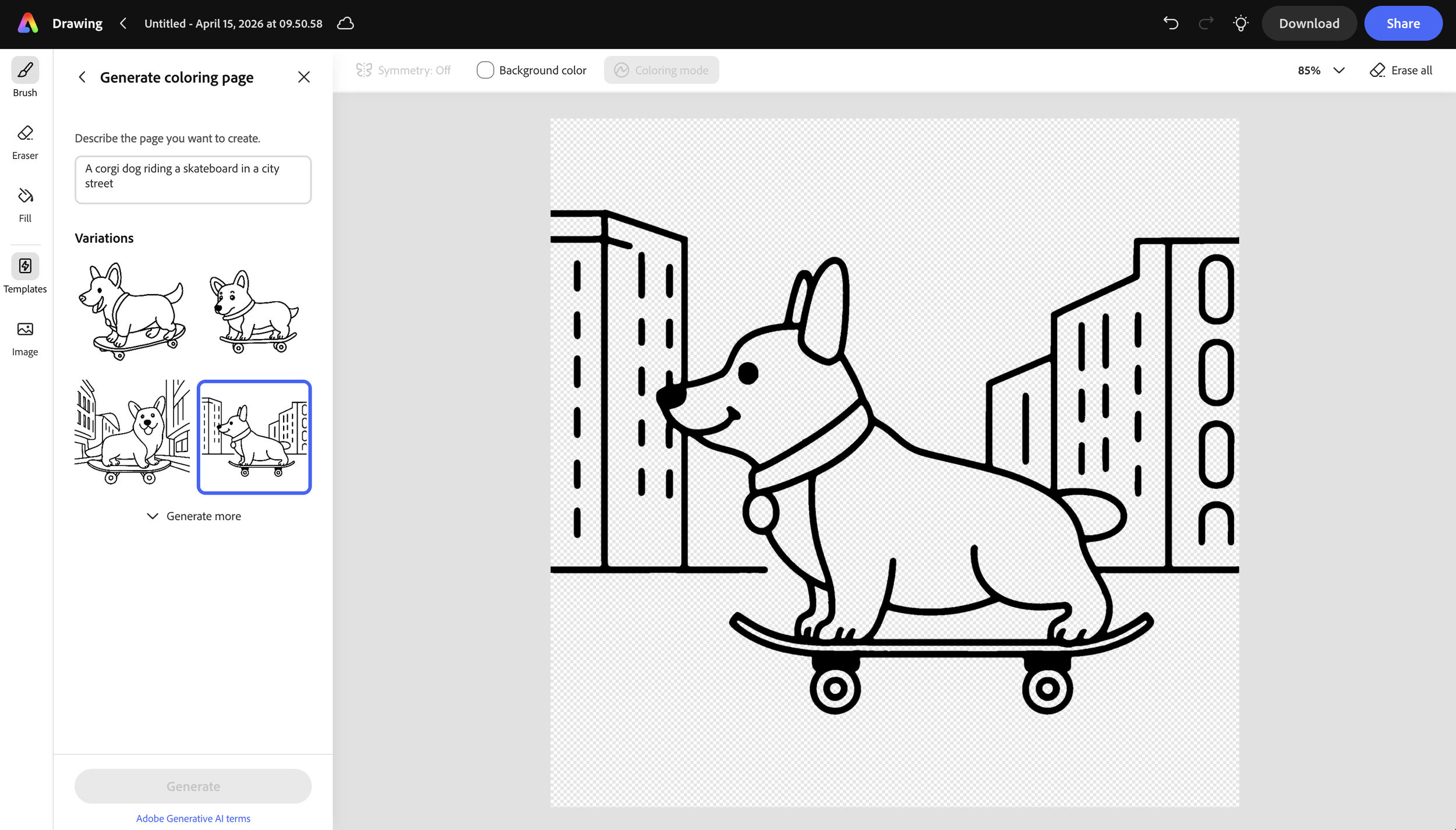
We saw an opportunity to introduce AI in a way that supports, rather than replaces, the creative process. Working closely with the design team, I explored how generative tools could meaningfully assist drawing workflows and identified a key gap around scalable content creation.
I designed a “Generate Coloring Page” feature that allows users to create custom coloring pages from a text prompt. This expands beyond the curated template library while giving users a greater sense of control and personalization. Learn more here